What features should a cloud HR system have for growing teams? At minimum, a cloud HR system built for growth needs centralized employee records, automated onboarding, benefits enrollment tools, payroll coordination, and compliance tracking that scales as headcount increases. For founders and HR leaders at small and mid-sized organizations, choosing the right combination of these features can mean the difference between an HR function that keeps pace with growth and one that quietly falls behind. Therefore, this guide breaks down the specific capabilities worth prioritizing, how they map to different growth stages, and when outsourced HR support like Soteria HR’s services can fill the gaps that software alone cannot close.
Key Takeaways
- ✓A strong cloud HR system centralizes employee records, onboarding, benefits, payroll coordination, and compliance alerts in one place.
- ✓Growing teams typically need new features around 50 employees, when regulations like FMLA and the ACA’s shared responsibility rules begin to apply.
- ✓Automation reduces manual paperwork, but it does not replace HR judgment, policy design, or employee relations expertise.
- ✓Integration between payroll, benefits, and HR records prevents data errors as headcount and complexity increase.
- ✓Many growing employers pair cloud HR software with outsourced HR support, such as an ASO relationship, to cover what technology alone cannot handle.
What Features Should a Cloud HR System Have for Growing Teams?
Cloud HR system features are web-based tools that store employee data and automate HR workflows. They give managers and employees self-service access from any device. For growing teams, the most useful systems combine centralized records, workflow automation, benefits and payroll coordination, and compliance alerts in a single dashboard. The right system reduces manual paperwork and keeps pace with new hires, new states, and regulatory thresholds.
Beyond those basics, growing organizations should look for role-based permissions that control who can view sensitive data, audit trails for policy acknowledgments, and reporting tools that flag headcount milestones before they create compliance surprises. In addition, the platform should integrate cleanly with payroll providers and benefits carriers rather than requiring duplicate data entry. As a result, HR staff spend less time reconciling spreadsheets and more time supporting managers and employees directly.
Why Growing Teams Outgrow Manual HR Tracking
Spreadsheets and shared email inboxes often work fine for a handful of employees. However, once an organization crosses into the 20 to 50 employee range, manual tracking starts producing errors: missed renewal dates, inconsistent onboarding paperwork, and inconsistent leave approvals. Specifically, once a company reaches 50 employees, federal obligations under the Family and Medical Leave Act (FMLA) begin to apply, according to the U.S. Department of Labor. That threshold alone makes accurate, automated headcount and eligibility tracking far more important.
Similarly, as teams add their first out-of-state hires, HR staff must track different leave laws, pay rules, and tax registrations by jurisdiction. Consequently, a cloud HR system that cannot scale its compliance rules by location becomes a liability rather than a convenience. Above all, growing employers need software that grows its own rule set alongside the organization.
Core Cloud HR System Features: Employee Records and Data Management
Every growing team needs a single source of truth for employee data. In particular, look for digital personnel files that store signed policies, I-9 documentation, and performance history in one searchable location. For example, when a manager needs to confirm a start date or a signed handbook acknowledgment, the answer should take seconds, not an email thread.
Furthermore, strong systems include e-signature capability, customizable fields for job codes and cost centers, and change-history logs that record who updated what and when. This matters for audit readiness. If an auditor from the Equal Employment Opportunity Commission or a state agency ever requests records, a documented history saves significant time and reduces risk.
Onboarding, Offboarding, and Workflow Automation Tools
Onboarding is where growing teams feel pain first, because every new hire requires the same repetitive paperwork: tax forms, direct deposit, equipment requests, and policy acknowledgments. A capable cloud HR system automates these checklists so nothing gets missed when hiring accelerates. For instance, an automated workflow can trigger IT equipment requests the moment an offer letter is signed.
Offboarding deserves equal attention, since missed steps here create compliance and security risk. Specifically, the system should automatically trigger final pay calculations, benefits termination notices, and access removal tasks. In contrast to manual checklists kept in someone’s inbox, automated offboarding workflows create a consistent, repeatable process regardless of who handles the exit.
Benefits Administration Capabilities to Look For
Benefits administration becomes noticeably more complex once a growing employer crosses 50 full-time equivalent employees. At that point, under the Affordable Care Act’s employer shared responsibility provisions, applicable large employers must offer qualifying coverage or face potential penalties, per the Internal Revenue Service. As a result, a cloud HR system should support open enrollment workflows, carrier file feeds, and eligibility tracking tied directly to hours worked.
In addition, look for built-in support for COBRA notices, Section 125 cafeteria plan elections, and Form 5500 data organization where applicable, since these requirements vary by plan design and employer size. Soteria HR’s cloud-based HR management guide walks through how benefits technology and administrative support typically divide responsibilities. Always confirm specific scope and applicability with a qualified advisor before relying on any single feature set.
Payroll Coordination and Integration Features
Payroll errors are among the most visible HR mistakes, so integration matters enormously here. A cloud HR system should sync employee changes, pay rates, and time-tracking data directly with the payroll provider rather than relying on manual re-entry. Consequently, fewer hands touch sensitive pay data, which reduces both errors and processing delays.
However, software integration alone does not guarantee accuracy. Someone still needs to review exception reports, resolve discrepancies, and coordinate with the payroll provider when issues arise. This is precisely where Soteria HR’s payroll coordination support complements the technology, helping growing employers keep information flowing correctly between systems and people.
Compliance Tracking Features for Scaling Employers
Compliance obligations expand in stages as headcount grows, and a cloud HR system should flag those milestones automatically. For example, once FMLA eligibility applies at 50 employees nationally, and once California-specific requirements apply to employers with as few as five employees for certain protections, the system should surface those thresholds rather than leaving HR staff to track them manually.
In California specifically, employers should monitor requirements from the state’s Civil Rights Department and Division of Industrial Relations, since rules often differ from federal minimums. Therefore, look for a system with configurable, jurisdiction-specific rule sets rather than a one-size-fits-all compliance calendar. Soteria HR’s guide on supporting a growing team effectively covers this topic in more depth.
How to Choose the Right Cloud HR Platform for Your Growth Stage
Selecting a cloud HR system does not need to be overwhelming. Instead, following a structured process helps growing employers avoid costly mistakes and underused features.
- Audit current HR workflows. Document how onboarding, benefits enrollment, and payroll data currently move between people and spreadsheets so you can identify exactly where manual handoffs create delays or errors.
- Map required features to headcount milestones. Identify the employee counts where new obligations, such as FMLA at 50 employees, will require additional tracking or reporting capability from your chosen platform.
- Request demos focused on integration. Ask each vendor to show exactly how their system connects with your payroll provider and benefits carriers, since poor integration often causes the most frustration after purchase.
- Pilot test with your HR team. Run a short trial with real onboarding and benefits scenarios so staff can surface usability issues before the organization commits to a full rollout.
- Roll out training and review results quarterly. Schedule manager and employee training sessions, then review adoption rates and data accuracy every quarter to confirm the system is actually reducing administrative burden.
“A cloud HR system is only as strong as the processes behind it. Technology can automate tasks, but it still needs clear policies, accurate data, and human judgment to work well.” — Soteria HR
Cloud HR Software vs. Outsourced HR Support: Finding the Right Mix
Cloud HR software automates repetitive tasks, but it cannot design policies, handle complex employee relations issues, or interpret ambiguous regulations. As a result, many growing employers pair their platform with outsourced HR support. The table below compares typical feature priorities by growth stage.
| Growth Stage | Employee Count | Priority Cloud HR Features | Common Compliance Focus |
|---|---|---|---|
| Early growth | 10–49 | Digital records, basic onboarding automation | State wage and hour basics |
| Scaling | 50–99 | Benefits enrollment, leave tracking, reporting | FMLA, ACA shared responsibility |
| Established growth | 100–250 | Multi-state rules, advanced analytics, payroll integration | Multi-jurisdiction leave and tax rules |
For employers without a full internal HR department, an Administrative Services Organization (ASO) arrangement provides tailored HR support without co-employment, meaning the client remains the employer of record and retains responsibility for employment decisions. Soteria HR’s cloud HR system guide for growing SMBs explains how this model works alongside existing software. If your organization already has an internal HR team, Soteria also supports that team directly rather than replacing it.
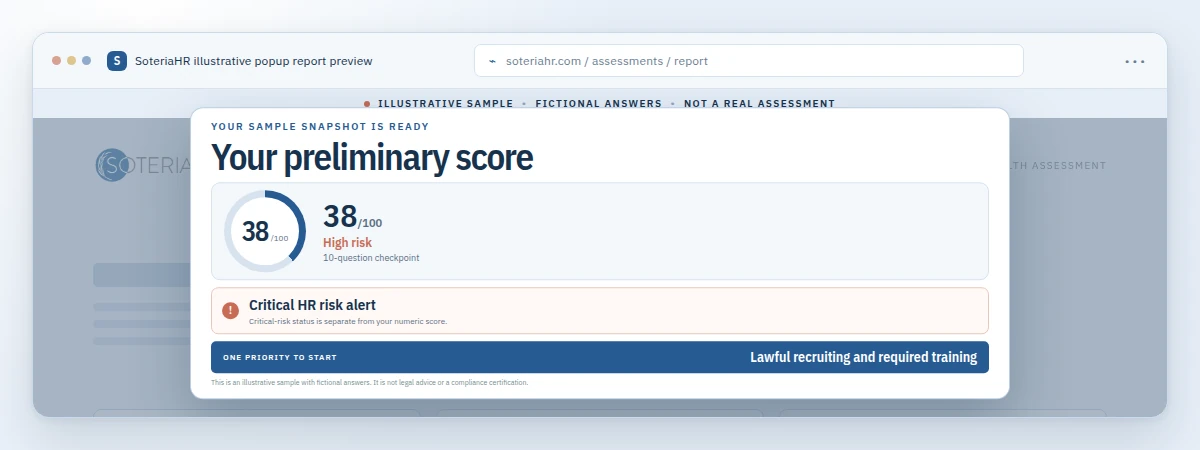
Not sure where your current setup stands? The free HR Health Assessment offers a quick, self-reported snapshot of potential gaps in about two to twelve minutes, depending on which version you choose. It is a starting point for conversation, not a certification of compliance.
Ready to Talk Through Your HR Technology Options?
Soteria HR helps growing employers in Los Angeles, Orange County, and nationwide decide where software ends and hands-on HR support should begin.
Call (800) 399-2458 or submit a consultation request to talk to an HR expert.
Frequently Asked Questions About Cloud HR System Features
What features should a cloud HR system have for growing teams?
A cloud HR system built for growing teams needs centralized employee records, onboarding and offboarding automation, benefits enrollment tools, payroll integration, and compliance tracking that adjusts as headcount increases. Without these core pieces, HR staff end up re-creating the same manual work the software was meant to eliminate.
What is a cloud HR system?
A cloud HR system is a web-based platform that stores employee information and automates HR tasks like onboarding, time-off requests, and benefits enrollment. It is accessible from any internet-connected device rather than being installed on a single office computer.
How does a cloud HR system differ from a traditional HRIS?
A traditional human resources information system (HRIS) was often installed on local servers and required IT maintenance. In contrast, a cloud HR system is hosted remotely, updates automatically, and typically costs less to maintain for small and mid-sized teams.
How much does a cloud HR system cost for a small business?
Pricing varies widely by vendor, employee count, and feature tier, so it is best to request quotes directly from platform providers. Confirm whether pricing is per-employee, per-month, or tiered by feature bundle before comparing vendors.
How long does it take to implement a cloud HR platform?
Implementation timelines typically range from a few weeks for basic setups to a few months for organizations migrating extensive historical data and multiple integrations. Data cleanup and payroll integration are usually the steps that take the longest.
What are common mistakes when choosing cloud HR software?
Common mistakes include buying more features than the team will actually use, skipping integration testing with payroll, and failing to train managers before rollout. As a result, adoption often stalls and staff revert to old manual habits.
Why do growing teams need automated onboarding features?
Automated onboarding reduces the chance that paperwork, equipment requests, or policy acknowledgments get missed as hiring volume increases. In particular, it creates a consistent new-hire experience regardless of which manager is handling the hire.
What compliance features should growing employers prioritize?
Growing employers should prioritize headcount-based alerts for thresholds like FMLA at 50 employees, multi-state leave tracking, and audit-ready document storage. Above all, the system should flag new obligations before they become missed deadlines.
Can a cloud HR system replace outsourced HR support?
No, software automates tasks but cannot replace policy design, employee relations judgment, or an ASO’s hands-on administrative support. Many growing employers use both together rather than choosing one over the other.
What benefits administration features matter most as headcount grows?
Open enrollment automation, carrier data feeds, and eligibility tracking tied to hours worked matter most, especially once ACA shared responsibility rules may apply. These features prevent coverage gaps and enrollment errors during busy growth periods.
How does payroll coordination work with cloud HR software?
Payroll coordination typically involves syncing employee changes and hours from the HR system directly into the payroll provider’s platform to avoid duplicate entry. However, someone still needs to review exception reports and resolve discrepancies manually.
What size company needs a cloud HR system?
Most organizations benefit once they reach roughly 10 to 15 employees, as manual tracking starts producing errors around that point. Companies in the 10 to 250 employee range are often where the return on investment is clearest.
How can Soteria HR help evaluate or implement a cloud HR system?
Soteria HR’s consultants review current workflows, help map required features to your organization’s growth stage, and can coordinate ongoing HR administration alongside your chosen platform. Call (800) 399-2458 or start with the free HR Health Assessment to discuss priorities.
Final Thoughts on Choosing a Cloud HR System for Growing Teams
In the end, the features a cloud HR system should have for growing teams come down to five areas: centralized records, workflow automation, benefits administration, payroll coordination, and scalable compliance tracking. However, software alone rarely solves every HR challenge that comes with growth. Therefore, many organizations pair their platform with outsourced HR administration, consulting, or an ASO relationship to cover policy design, employee relations, and jurisdiction-specific compliance that technology cannot handle on its own. If you are ready to map these features against your organization’s current size and next growth milestone, Soteria HR’s guide to cloud-based HRIS systems for growing SMBs is a useful next read, or you can call (800) 399-2458 to talk directly with an HR expert about your organization’s specific needs.