Cloud HR systems improve HR administration for small businesses by replacing scattered spreadsheets and paper files with a single, secure, online system that any authorized team member can reach from a laptop or phone. For owners juggling payroll, benefits, and compliance, this shift from manual folders to a connected platform is often the difference between constant firefighting and predictable, well-organized operations. Put simply, a cloud HR system is a web-based application that stores employee data on remote servers instead of one office computer, so records update automatically and stay accessible from anywhere. In particular, small employers without a dedicated HR department tend to gain the most, because the right platform automates tasks that would otherwise require tracking across multiple spreadsheets and email threads.
Key Takeaways
- Cloud HR systems improve HR administration for small businesses mainly by centralizing records, automating routine tasks, and flagging compliance deadlines before they become problems.
- Cloud platforms reduce duplicate data entry across onboarding, benefits, and payroll coordination.
- Federal rules, such as FLSA payroll recordkeeping requirements, still apply — technology supports compliance but does not replace HR judgment.
- Pricing is usually per employee, per month, and varies by the modules a business selects.
- Pairing software with outsourced HR expertise, such as an ASO relationship, closes gaps a tool alone cannot fix.
What Are Cloud HR Systems?
Cloud HR systems are software platforms that store and manage employee information — such as personnel files, time-off balances, and benefits elections — on remote servers accessed through the internet rather than on a single office computer. As a result, HR data stays current for every authorized user, whether they are in the office, at home, or checking in from a client site. This delivery model is often called Software as a Service, or SaaS, meaning the provider hosts and maintains the application for you, so updates happen automatically without in-house IT support.
For small businesses, this matters because most owners are not running a server room or an IT department. Therefore, a system that backs up data offsite and works on any device removes a significant maintenance burden. In addition, many platforms include self-service features, so employees can update their own addresses or download pay stubs without routing every request through a manager. For a closer look at the underlying function these platforms replace, see the fundamentals of HR administration.
How Cloud HR Systems Improve HR Administration for Small Businesses
Cloud HR systems improve HR administration for small businesses in several concrete ways, starting with recordkeeping. Specifically, instead of maintaining paper personnel files or disconnected spreadsheets, a cloud platform keeps employee records, job history, and compliance documents in one searchable location. Consequently, when a manager needs to confirm a hire date or current pay rate, the answer is a few clicks away rather than a search through a filing cabinet.
Beyond storage, automation is where the real time savings show up. For example, onboarding workflows can automatically assign new-hire paperwork, benefits enrollment windows, and policy acknowledgments without a staff member emailing each document by hand. Similarly, built-in alerts can flag upcoming compliance deadlines, such as benefits renewal periods, before they are missed.
Above all, this combination of centralized records and automated workflows shifts administrative hours away from repetitive data entry and toward higher-value work, like coaching managers or reviewing policy. Businesses exploring what HR administration really means for small businesses often find that technology is only half the equation; the other half is someone who can interpret what the data is showing.
“The right cloud platform does not replace an HR strategy — it gives the data and structure that make a strategy possible.” — Soteria HR
Core Benefits of Cloud-Based HR Software for Growing Teams
Cloud-based HR software offers a handful of benefits that compound as a company grows past its first few employees. In particular, three areas tend to show the clearest return: documentation, compliance tracking, and benefits administration.
Centralized Employee Records and Documentation
A cloud system stores job history, signed policies, and performance notes in one place, so nothing lives only in a manager’s inbox. Because the record set is shared, a second person can step in during an absence without reconstructing history from memory. For a broader view of this foundation, see HRMS software solutions built for small and mid-sized businesses.
Automated Compliance Tracking and Alerts
Compliance deadlines are easy to miss when they live on a wall calendar. By contrast, a cloud platform can flag renewal dates and retention periods automatically. For example, the federal Fair Labor Standards Act requires employers to retain certain payroll records for at least three years, according to the U.S. Department of Labor. A cloud system can hold those records and surface them instantly rather than relying on a filing cabinet search.
Streamlined Benefits Administration
Benefits administration involves enrollments, terminations, and carrier communication — tasks that cloud platforms often connect directly to payroll records. As a result, a change in employment status can update benefits eligibility without a separate manual step. Requirements tied to the Affordable Care Act, outlined by the IRS, and general HR research from SHRM both point to benefits administration as one of the most time-consuming HR functions for growing companies, which is exactly where automation helps most.
Cloud HR Platforms vs. Traditional Paper-Based Systems
The contrast between the two approaches becomes clear once it is laid out side by side.
| Factor | Paper-Based or Spreadsheet HR | Cloud HR System |
|---|---|---|
| Record access | Limited to the office or one device | Available anywhere with secure login |
| Data entry | Manual, often repeated across forms | Entered once, synced across modules |
| Compliance deadlines | Tracked manually on calendars or memory | Automated reminders and audit trails |
| Reporting | Built by hand in spreadsheets | Generated on demand from live data |
| Scalability | Harder to manage as headcount grows | Designed to scale with the organization |
Companies approaching the mid-size range face a similar decision at a larger scale; the guide on how cloud-based HR systems help mid-sized companies manage HR covers what changes once headcount grows past the smallest-team stage.
How to Move Your Small Business to a Cloud HR System
A phased approach generally works better than a single large switch. The following steps outline a practical order for small businesses moving off paper or spreadsheets.
- Audit your current HR data and processes. Before selecting software, list every system currently holding employee information, from spreadsheets to email folders, so you understand what needs to migrate and which manual steps the new platform should eliminate.
- Define your must-have features. Decide whether you primarily need help with onboarding, benefits administration, payroll coordination, or compliance tracking, since a focused platform usually serves a small budget better than an all-in-one suite nobody fully uses.
- Request demos and compare total cost. Ask each vendor for pricing broken down per employee per month, implementation fees, and support response times, then compare at least three options side by side before committing to one.
- Migrate data in phases. Start with core employee records and current benefits elections, test the data for accuracy, and only then move historical documents, so that day-to-day HR work is not disrupted mid-transition.
- Train managers and employees on self-service tools. Schedule short walkthroughs for time-off requests, document uploads, and pay stub access, so staff rely on the new system instead of reverting to email or paper habits out of comfort.
Common Pitfalls When Adopting HR Technology for a Small Business
Even a well-chosen platform can underperform if the rollout is rushed. In particular, three patterns tend to cause the most frustration.
- Buying more modules than the team can configure or maintain, which leaves half the platform unused within a year.
- Migrating incomplete or outdated records, so the new system inherits the same gaps the old process had.
- Assuming the software alone satisfies legal requirements, when in fact employers remain responsible for applying current federal, state, and local rules correctly.
For more general guidance on avoiding these missteps, see practical HR advice for small businesses.
Not sure where your HR gaps are?
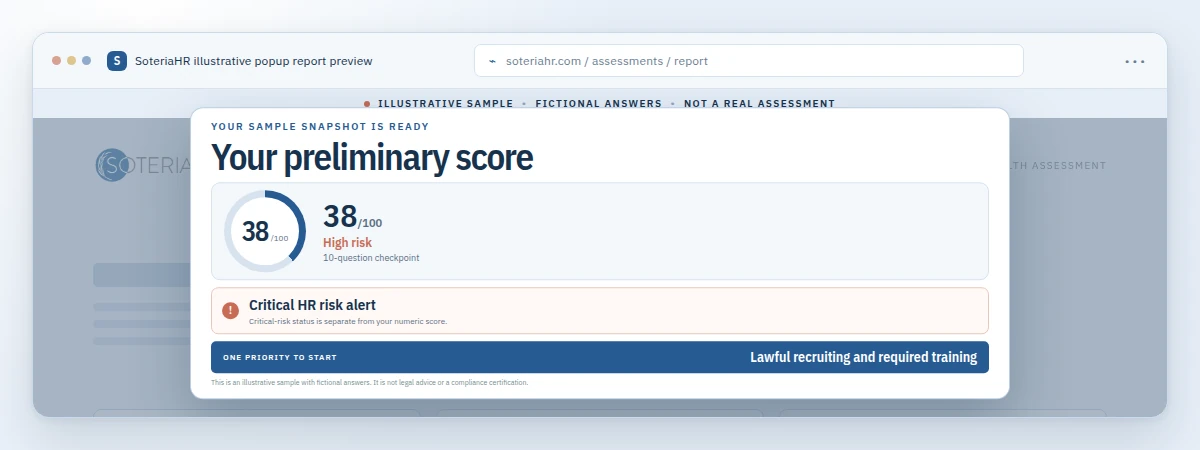
Soteria HR’s free HR Health Assessment at soteriahr.ai offers a 10-question Quick HR Check (about two minutes) or a 40-question Complete HR Health Assessment (about 10–12 minutes). Results are self-reported and preliminary, not a compliance certification, but they are a useful starting point before a deeper conversation. To talk through your results, call (800) 399-2458 or request a consultation at soteriahr.com.
Frequently Asked Questions About Cloud HR Systems for Small Businesses
What are cloud HR systems?
Cloud HR systems are web-based platforms that store and manage employee data — like personnel records, time off, and benefits elections — on remote servers instead of a single office computer. Because the data lives online, authorized users can access current information from any device with an internet connection.
How do cloud HR systems improve HR administration for small businesses?
Cloud HR systems improve HR administration for small businesses by centralizing records, automating repetitive onboarding and benefits tasks, and sending reminders ahead of compliance deadlines. As a result, owners and office managers spend less time on paperwork and more time on people decisions.
How much do cloud HR systems typically cost for a small business?
Most small-business cloud HR platforms charge a monthly fee per employee, often ranging from a few dollars to around fifteen dollars per employee per month depending on the modules included. Implementation fees, payroll add-ons, and support tiers can change the total cost, so it helps to compare several vendor quotes.
How long does it take to implement a cloud HR platform?
A straightforward implementation covering basic employee records and self-service access often takes two to six weeks. However, timelines extend when benefits data, payroll integrations, or historical document migration are involved.
Are cloud HR systems secure for storing employee data?
Reputable cloud HR vendors use encryption, role-based access controls, and regular security audits, which generally makes them more secure than shared spreadsheets or unlocked filing cabinets. Even so, businesses should confirm a vendor’s specific security certifications before signing a contract.
What is the difference between cloud HR software and an HRIS?
An HRIS, or human resource information system, is the category of software that manages HR data, while “cloud HR system” describes how that software is delivered — hosted online rather than installed locally. In practice, most modern HRIS platforms are cloud-based, so the two terms overlap significantly.
Can cloud HR systems handle payroll and benefits together?
Many cloud HR platforms connect payroll coordination and benefits administration, so a change like a new hire’s start date automatically flows into both areas. That said, some businesses prefer to keep payroll with a dedicated provider and use the HR platform mainly for records and benefits, which also works.
What is the biggest mistake small businesses make when adopting HR technology?
The most common mistake is buying a feature-heavy platform without a clear plan for who will maintain it, which often leads to incomplete data and underused tools. A smaller, well-configured system with a clear owner typically outperforms an ambitious one left on autopilot.
Do cloud HR systems replace the need for HR expertise?
No. Cloud HR systems organize and automate data, but they do not replace the judgment needed to handle employee relations issues or apply current employment law correctly. For that reason, many small businesses pair their software with outsourced HR consulting or an ASO relationship for guidance the platform cannot provide alone.
How does a cloud HR system support compliance recordkeeping?
Cloud platforms typically store required documentation in one place and can flag retention periods, which helps employers track obligations like the Fair Labor Standards Act’s requirement to keep certain payroll records for at least three years. Even with this support, employers remain responsible for confirming which specific rules apply to their workforce.
What size business benefits most from a cloud HR system?
Employers with roughly ten to two hundred fifty employees tend to see the clearest return, since they have enough HR complexity to justify the investment but often lack a full internal HR department. Even smaller teams can benefit once onboarding, benefits, or compliance tracking starts outpacing what spreadsheets can handle.
How does outsourced HR support work alongside a cloud HR system?
An outsourced HR partner can configure the platform, monitor compliance alerts, and apply the data to real decisions, such as policy updates or benefits renewals, while the business retains full control over employment decisions. This pairing is sometimes structured as an ASO arrangement, which provides tailored HR support without co-employment.
What should small businesses look for before choosing a cloud HR platform?
Look for clear per-employee pricing, straightforward data export options, responsive support, and integrations with existing payroll or benefits providers. In addition, ask vendors how they handle data security and whether the platform can scale with your headcount.
Can a cloud HR system integrate with existing payroll providers?
Many cloud HR platforms offer integrations or data exports that sync with popular payroll providers, which reduces duplicate entry between HR and payroll teams. Before switching platforms, confirm exactly which integrations are supported and whether any manual steps remain.
How can a small business get started evaluating its HR gaps?
A practical first step is a short, self-guided review of current HR practices, such as Soteria HR’s free HR Health Assessment at soteriahr.ai, which highlights potential gaps before a deeper consultation. From there, discussing the results with an HR professional can clarify which gaps need immediate attention.
In summary, cloud HR systems improve HR administration for small businesses by turning scattered paperwork into centralized, automated, and more secure processes that free up hours previously spent on data entry and manual tracking. However, software alone cannot interpret employment law or make judgment calls, which is why many growing employers pair their platform with outsourced HR consulting or an ASO relationship. If your business is weighing these options, start with a short self-assessment or talk directly to an HR professional at Soteria HR by calling (800) 399-2458.