A cloud HR system is software that lets growing companies manage hiring, payroll, benefits, and compliance from any device with an internet connection. For small and mid-sized businesses that have outgrown spreadsheets and sticky notes, this kind of platform brings order to daily chaos. Instead of juggling paper files and disconnected tools, HR leaders and business owners get one place to track employee data, run reports, and stay ahead of changing labor laws. In this guide, we’ll break down what a cloud HR system does, why it matters for growth-stage companies, and how to choose one that actually fits your team.
Quick Answer: A cloud HR system is a web-based platform that centralizes HR administration, including payroll, benefits, onboarding, and compliance tracking, so businesses can manage their workforce securely from anywhere without maintaining in-house servers or paper files.
What Is a Cloud HR System?
A cloud HR system is a digital platform, hosted remotely by a software vendor, that manages the full employee lifecycle from hire to retire. Rather than installing software on office computers, businesses log in through a web browser, and the vendor handles hosting, updates, and security patches behind the scenes.
In particular, these platforms typically combine several functions that used to require separate tools: employee records, time tracking, benefits enrollment, and compliance documentation. As a result, HR teams spend less time on manual data entry and more time on strategic work, such as culture-building or workforce planning.
According to the human resource management system model widely referenced in HR technology literature, these systems evolved from mainframe payroll tools into fully integrated, cloud-native platforms over the last two decades. Consequently, even small businesses now have access to tools once reserved for large enterprises.
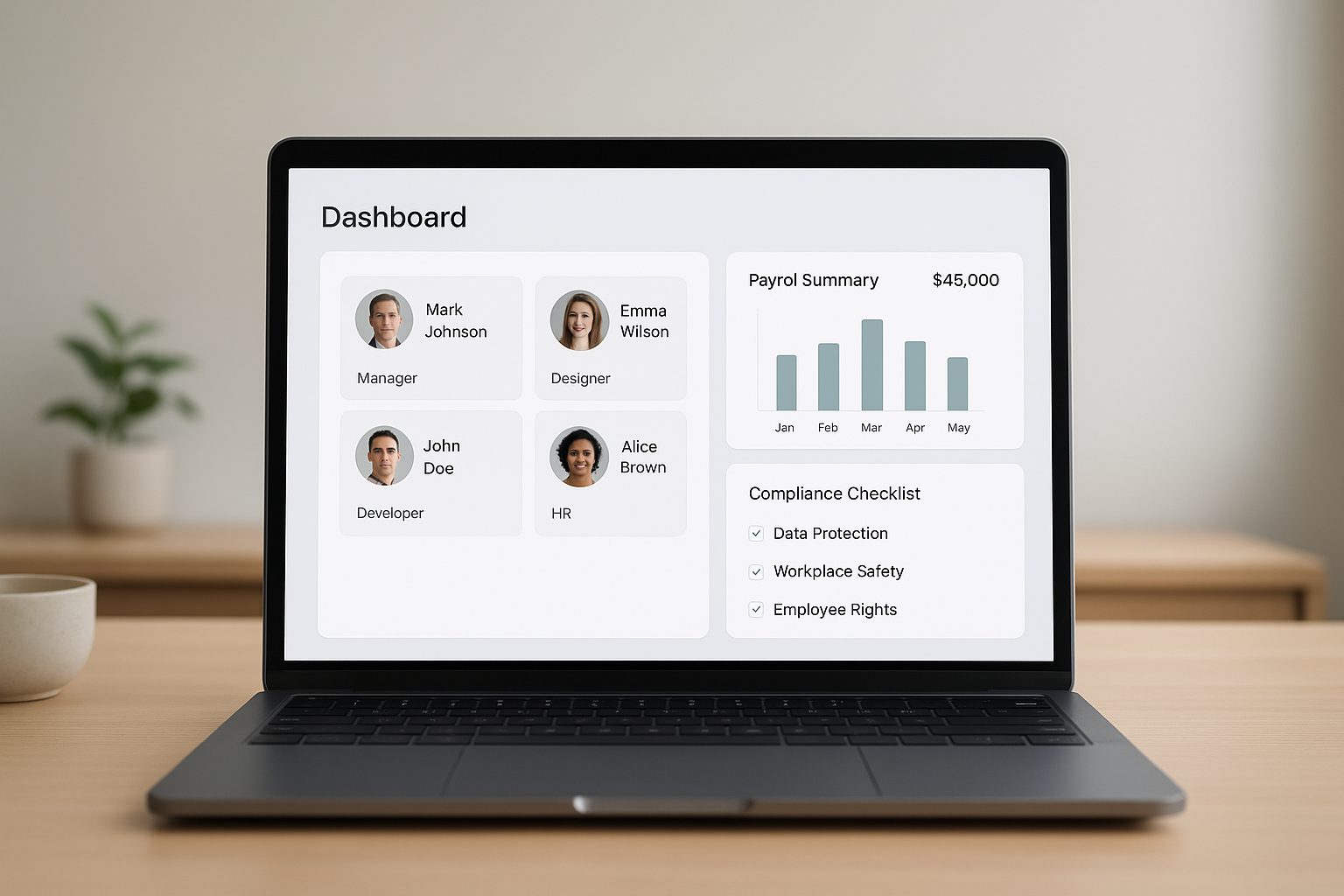
A cloud HR system centralizes employee data, payroll, and compliance tracking in one dashboard.
Why Growing SMBs Need a Cloud-Based HR Platform
Growth is exciting, but it also multiplies HR complexity. As a company adds employees across states or departments, manual processes that once worked start to break down. Therefore, many founders and operations leaders reach a tipping point where spreadsheets simply can’t keep up.
For example, a company with 15 employees might manage onboarding paperwork by hand. However, once headcount reaches 50 or 100, that same process creates bottlenecks, compliance gaps, and frustrated new hires. A cloud-based HR platform automates these workflows so growth doesn’t stall progress.
Notably, the Society for Human Resource Management has reported that organizations using integrated HR technology can reduce administrative processing time significantly, freeing HR staff to focus on retention and culture instead of paperwork. This matters most for companies without a dedicated HR department, where every hour saved directly affects the bottom line.
Beyond time savings, compliance is a growing concern. Employment laws change frequently at the federal, state, and local level, as outlined by the U.S. Department of Labor. A cloud HR system helps flag these changes before they turn into costly penalties. For a deeper look at this shift, our complete guide to cloud-based HR management walks through the full transition process.
Key Features to Look for in Cloud HR Software
Not every platform is built the same way, so it helps to know what actually matters. Above all, the right cloud HR software should reduce friction, not add another layer of complexity to your day.
- Employee self-service: Staff can update personal details, view pay stubs, and request time off without emailing HR.
- Benefits administration: Open enrollment, plan comparisons, and carrier connections happen in one place.
- Compliance tracking: Automated alerts flag policy updates, filing deadlines, and required document renewals.
- Payroll integration: Time, attendance, and pay data sync automatically to reduce errors.
- Reporting dashboards: Leaders can see turnover trends, headcount changes, and cost data at a glance.
In addition, it’s worth reviewing our breakdown of cloud-based HR systems to compare feature sets across common vendor categories before committing to a purchase.
How to Choose the Right Cloud HR System
Choosing a platform doesn’t have to be overwhelming. Instead, following a clear process helps you avoid an expensive, poorly matched purchase.
- Assess your current HR pain points. Review where your current process breaks down, whether that’s onboarding delays, payroll errors, or missed compliance deadlines, so you know exactly which problems the new system must solve.
- Define your must-have features. List the specific features your business truly needs, such as benefits administration or applicant tracking, and separate those from nice-to-have extras that add unnecessary cost.
- Shortlist and demo providers. Narrow your options to three or four vendors, then schedule live demonstrations so your team can test the interface and ask detailed questions about support and pricing.
- Check compliance and security standards. Confirm each vendor meets data security requirements and stays current with employment law changes across every state where your employees work.
- Plan the rollout and training. Build a realistic implementation timeline that includes data migration, manager training, and employee communication so adoption goes smoothly from day one.
If you’d rather have an experienced partner guide this process, the team at Soteria HR helps growing companies select and implement HR technology alongside broader HR administration services.

Working through a clear evaluation process makes choosing a cloud HR system far less stressful.
Cloud HR System vs. Traditional HR Management
Traditional, on-premise HR software requires a company to buy servers, install updates manually, and manage its own data backups. In contrast, a cloud HR system shifts that responsibility to the vendor, which typically reduces both cost and risk.
| Factor | Traditional HR Software | Cloud HR System |
|---|---|---|
| Upfront Cost | High (servers, licenses) | Low (subscription-based) |
| Updates | Manual, IT-dependent | Automatic |
| Remote Access | Limited | Full, from any device |
| Scalability | Difficult | Built-in |
Overall, this shift matters most for SMBs without dedicated IT staff, since a cloud HR system removes the burden of maintaining infrastructure. To explore this comparison further, see our guide on what growing SMBs need to know about making the switch.
Common Mistakes When Adopting a Cloud HR Platform
Even a great platform can fail without proper planning. Specifically, businesses often skip data cleanup before migration, which carries old errors into the new system. Similarly, skipping employee training leads to low adoption, even when the software itself works well.
Furthermore, some companies choose a platform with far more complexity than they need, paying for features that sit unused. Instead, matching the tool to your actual team size and goals produces better long-term results. If you’re still building foundational HR support, our overview of HR support for small business is a helpful starting point.

Employee self-service tools within a cloud hr system reduce onboarding delays and manual paperwork.
Frequently Asked Questions About Cloud HR Systems
What is a cloud HR system?
A cloud HR system is web-based software that stores employee data and manages HR tasks like payroll, benefits, and onboarding over the internet instead of on local servers. Businesses access it through a browser from any location.
How does a cloud HR system work?
It stores employee records, documents, and HR workflows on secure remote servers managed by the software vendor. Users log in with a username and password, and updates sync automatically.
Why do small businesses need a cloud HR system?
Small businesses often lack dedicated HR staff, so a cloud HR system automates repetitive tasks and reduces compliance risk. It also scales with the company as headcount grows.
How much does a cloud HR system cost?
Pricing typically ranges from about $4 to $15 per employee per month, depending on features and vendor. Platforms with advanced analytics or benefits administration usually cost more.
How long does it take to implement a cloud HR platform?
Most small to mid-sized businesses implement a cloud HR platform within four to eight weeks. Timelines depend on data migration complexity and required integrations.
What’s the difference between a cloud HR system and an HRIS?
An HRIS, or human resource information system, is the broader category of software that manages HR data. A cloud HR system is simply an HRIS delivered over the internet rather than installed on-site.
Is a cloud HR system secure?
Reputable platforms use encryption, role-based access controls, and regular security audits to protect employee data. Even so, businesses should verify a vendor’s compliance certifications before signing on.
Can a cloud HR system handle payroll?
Many cloud HR systems include built-in payroll processing or integrate directly with payroll providers. This keeps employee data, hours, and pay records connected in one place.
What features should I look for in HR software?
Look for onboarding tools, benefits administration, compliance tracking, employee self-service, and reporting dashboards. Payroll and applicant tracking integrations are also valuable for growing teams.
What are common mistakes when switching to a cloud HR system?
Common mistakes include skipping data cleanup before migration, failing to train employees, and choosing a platform more complex than the business needs. Rushing the rollout without a plan often causes adoption problems.
How is a cloud HR system different from traditional, on-premise HR software?
Traditional HR software runs on local servers a company must maintain manually. A cloud HR system is hosted remotely, so updates, backups, and security patches happen automatically.
Do employees get their own login to a cloud HR platform?
Yes, most platforms include self-service portals where employees update personal information, view pay stubs, and request time off. This reduces administrative back-and-forth for HR teams.
Can a cloud HR system help with compliance?
Yes, many platforms include compliance alerts for changing labor laws, automated recordkeeping, and audit-ready reports. This helps businesses avoid costly fines from missed deadlines.
What size company benefits most from a cloud HR system?
Companies with roughly 10 to 250 employees typically see the most benefit, since they’re growing fast enough to need structure but may lack a full HR department. This is exactly the stage where manual processes break down.
How do I choose the right cloud HR system for my business?
Start by identifying your biggest HR pain points, then shortlist platforms that address those needs within your budget. Request demos, check references, and confirm the vendor offers strong customer support.
Final Thoughts on Choosing a Cloud HR System
In the end, a cloud HR system is more than a piece of software; it’s the backbone that lets a growing company scale without losing control of compliance, culture, or people data. Whether you’re hiring your tenth employee or your hundredth, the right platform saves time, reduces legal risk, and gives leaders room to focus on strategy instead of paperwork.
If you’re ready to explore your options, start by assessing your current pain points, then compare platforms against your must-have features. And if you’d like an experienced partner to guide the process, Soteria HR works alongside growing companies every day to make HR technology, and HR strategy overall, feel far less overwhelming.