HR management tools for SMBs are the software platforms and support systems that help small and mid-sized businesses handle day-to-day human resources work, from onboarding and recordkeeping to benefits and compliance support. If you run a growing company, you have probably noticed that spreadsheets and sticky notes stop working once your headcount climbs past a handful of people. In addition, the paperwork around leave requests, benefits enrollment, and employee files only gets heavier as your team expands.
This guide walks through what these tools actually do, which features matter most, and how to decide between software alone or a partner who can help you use it well. For example, a growing company in Los Angeles might need very different tools than one in a highly regulated state. Throughout, we’ll point to practical next steps, including resources from Soteria HR, a Pasadena-based outsourced HR partner that works with growing organizations across the country.
What Are HR Management Tools for SMBs?
In short, HR management tools for SMBs are systems that centralize employee data, track compliance-related deadlines, and support day-to-day administration so founders and operations leaders don’t have to manage it all manually. They range from simple record-storage apps to full platforms covering benefits, leave, and reporting.
Specifically, these tools usually fall into a few categories: standalone HR information systems (HRIS), benefits administration platforms, payroll-adjacent tools, and combined systems that bundle several functions together. Because needs differ by company, there is no single “best” tool for every business. Instead, the right fit depends on your headcount, industry, and how much internal HR capacity you already have.
Similarly, some SMBs choose to layer human guidance on top of software through outsourced HR consulting or an Administrative Services Organization (ASO) arrangement. In that model, the client remains the employer and keeps responsibility for employment decisions, while the partner helps interpret and operate the tools correctly.

Choosing the right HR management tools for SMBs starts with understanding your daily workload.
Core Features of HR Systems for Small and Mid-Sized Companies
Above all, a good HR system should cover the tasks that consume the most time: employee records, onboarding, leave tracking, and benefits coordination. Below are the features worth prioritizing when comparing options.
- Centralized employee records, including hire dates, job history, and document storage.
- Leave and time-off tracking that reflects applicable state and local rules.
- Benefits enrollment and termination tracking, with support for carrier communication.
- Reporting features that help leaders spot trends, such as turnover or overtime patterns.
- Payroll coordination features that reduce duplicate data entry between systems.
Furthermore, scalability matters more than most buyers realize at first. A tool that works fine for 12 employees may struggle at 75 if it lacks reporting depth or role-based permissions. Therefore, it helps to ask vendors directly how their pricing and features change as headcount grows. For a closer look at the daily tasks these systems are built to support, see this breakdown of daily HR administration tasks you can outsource for your SMB.
According to the U.S. Small Business Administration, firms with fewer than 500 employees account for the vast majority of all U.S. businesses. As a result, practical HR management tools for SMBs affect a huge share of the employer landscape, not just a niche segment.
Step-by-Step: Choosing the Right HR Management Tools for SMBs
Picking a tool can feel overwhelming given how many options exist. The following process breaks the decision into manageable steps.
- Assess your current HR workload and gaps. Review how onboarding, leave tracking, and benefits enrollment are currently handled so you can pinpoint exactly where manual processes cause delays or mistakes.
- List your must-have features. Decide which functions matter most for your business, such as employee recordkeeping, benefits administration, or leave management, before you start comparing vendors.
- Evaluate compliance support by jurisdiction. Confirm the tool supports recordkeeping relevant to your state and local rules, since requirements vary by location, employer size, and industry.
- Compare software-only options to tools paired with human support. Weigh whether your team can manage the system independently or would benefit from guidance through an outsourced HR partner or ASO arrangement.
- Pilot the tool and gather feedback. Roll the system out with a small group first, collect honest feedback on usability, and adjust training before expanding it company-wide.
Common Challenges When Implementing HR Software for Growing Businesses
In contrast to larger enterprises with dedicated IT teams, smaller companies often implement new systems with limited internal bandwidth. Consequently, rollout can stall if no one owns the project day to day.
Low adoption is another frequent issue. If managers and employees don’t understand how to use a new platform, they tend to fall back on old habits like email threads or paper files. Meanwhile, data migration from old spreadsheets can introduce errors if it isn’t double-checked carefully.
Finally, many growing businesses underestimate how much ongoing maintenance a system requires, including updating policies, reviewing access permissions, and keeping records current. That said, these challenges are manageable with the right planning. A clear starting point is reviewing which services help with HR admin tasks before committing to a specific platform.

Organized recordkeeping is a foundation of effective HR management tools for SMBs.
HR Tools vs. Outsourced HR Support: What’s the Difference?
Software and outsourced support solve different problems, and understanding that distinction helps you avoid buying the wrong fit. The table below compares the two approaches at a glance.
| Approach | What It Provides | Best Fit |
|---|---|---|
| Software only | Recordkeeping, tracking, and reporting tools operated by internal staff. | Companies with existing HR knowledge who need better systems. |
| Outsourced HR / ASO | Software plus hands-on consulting, administration, and benefits support. | Companies without a full HR department, or those scaling quickly. |
Notably, choosing an ASO does not remove an employer’s responsibilities. Clients remain the employer of record and keep accountability for employment decisions, while the ASO provides tailored administrative and consulting support. To understand this distinction more fully, review this guide on what HR administration actually includes.
Reducing Risk While Using HR Management Tools for SMBs
However, software alone does not guarantee that recordkeeping, benefits, or leave practices meet every applicable requirement. For example, rules around the Fair Labor Standards Act and anti-discrimination recordkeeping enforced by the EEOC can shift based on employer size and location. As a result, many growing companies pair their tools with ongoing guidance to interpret what the data means.
This content is for general information and is not legal or tax advice. Requirements vary by location, employer size, and circumstances. Consult qualified counsel or an appropriate advisor for guidance on your situation.
For a broader look at how risk management connects to everyday HR work, see this resource on HR risk management for growing companies. Additionally, the Society for Human Resource Management publishes regular guidance on HR technology trends worth reviewing as you plan your own system.
How Soteria HR Helps Growing SMBs Get More From Their HR Systems
Soteria HR works with small and mid-sized organizations across Los Angeles, Orange County, and nationwide to provide HR administration, HR consulting, and benefits administration support. Rather than leaving you to operate new software alone, Soteria pairs practical tools with a hands-on HR partner who helps you put them to use.
In particular, Soteria’s ASO option provides tailored HR support without co-employment, which means you stay in control of employment decisions while gaining day-to-day administrative help. This fits companies without a full internal HR department, as well as those looking to extend an existing team. To explore the range of support available, see this overview of what types of HR support growing SMBs need most.

A hands-on HR partner can help growing businesses get more value from their HR management tools.
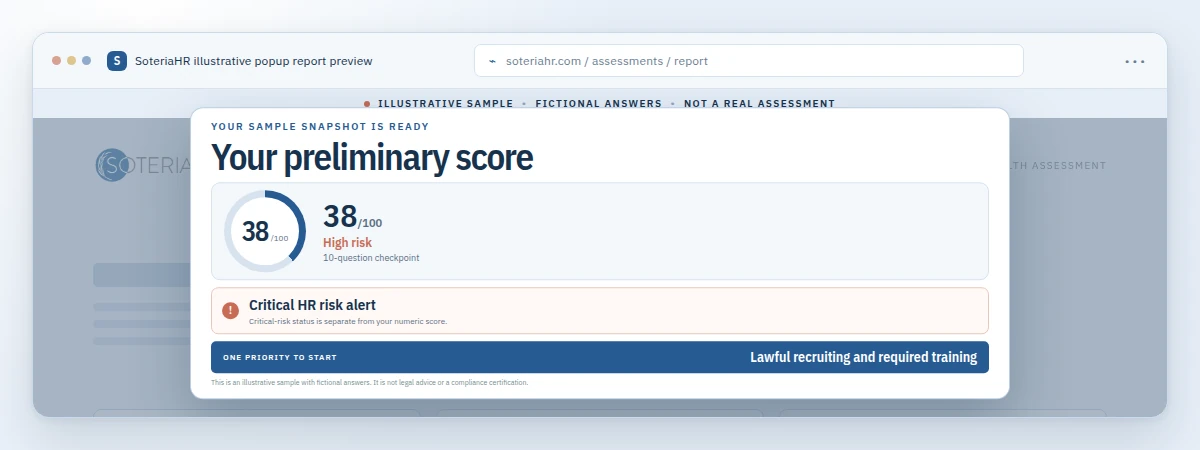
If you’re unsure whether your current setup is enough, the free HR Health Assessment offers a quick way to spot gaps and priorities. Results are self-reported and preliminary, not a certification of compliance, but they can be a helpful starting point before a deeper conversation. You can also call (800) 399-2458 to Talk to an HR Expert about your specific situation.
Frequently Asked Questions About HR Management Tools for SMBs
What are HR management tools for SMBs?
HR management tools for SMBs are software platforms and support systems that help small and mid-sized businesses handle tasks like onboarding, recordkeeping, leave tracking, and benefits administration. Many growing companies pair these tools with hands-on HR support for guidance on how to use them well.
How do HR management tools differ from payroll software?
Payroll software mainly calculates wages, taxes, and deposits, while HR management tools cover a wider scope, including employee records, benefits, and compliance tracking. Some platforms combine both functions, but the breadth is usually greater on the HR side.
Why do small and mid-sized businesses need HR management tools?
As a company grows past a handful of employees, spreadsheets and paper files become hard to manage and prone to errors. HR management tools organize that information in one place, reducing the administrative burden on leaders already busy running the business.
How much do HR management tools for SMBs typically cost?
Pricing varies widely based on features, headcount, and whether the tool includes human support or software alone. Because costs differ so much between providers, it’s best to request quotes tailored to your specific company size and needs.
How long does it take to implement new HR software?
Implementation timelines depend on company size and how much existing data needs to be migrated. Many small businesses can expect a rollout period of several weeks, and early planning plus staff training tend to shorten that transition.
What is the difference between HR software and outsourced HR support?
HR software gives you a system to track information, while outsourced HR support provides people who help interpret that data and guide decisions. Many growing companies use both together rather than choosing just one.
Can HR management tools help with compliance?
Yes, many tools include reminders, document storage, and tracking features that support compliance efforts, such as leave recordkeeping or benefits deadlines. However, the software itself does not interpret the law, so human review of complex situations remains important.
What common mistakes do SMBs make when choosing HR tools?
A frequent mistake is choosing a tool based on price alone without checking whether it covers benefits administration, leave tracking, and reporting needs specific to the business. Skipping staff training is another common error that leads to low adoption.
Do small businesses need an HR system if they don’t have an HR department?
Even without a dedicated HR department, a company still has employees, policies, and recordkeeping obligations that benefit from organized tools. In these cases, pairing software with outsourced HR guidance often fills the gap effectively.
What features should a growing business prioritize in HR software?
Growing businesses typically benefit most from employee recordkeeping, benefits enrollment tracking, leave management, and reporting features. Prioritizing scalability matters too, since a tool that works for 15 employees should still function well at 75.
How does an ASO differ from using HR software alone?
An Administrative Services Organization, or ASO, combines HR technology with dedicated human support while the client remains the employer of record. This differs from software-only tools, which leave interpretation and strategy entirely up to internal staff.
Can HR management tools for SMBs replace a dedicated HR team?
Tools can automate many repetitive tasks, but they generally work best alongside human judgment for nuanced decisions like performance issues or policy interpretation. Most growing companies use tools to support staff rather than replace HR expertise entirely.
How do I know if my current HR tools are enough for my company’s size?
A useful starting point is an honest review of where HR tasks are falling through the cracks, such as missed deadlines or inconsistent records. A structured check, like a short HR health assessment, can help identify specific gaps worth addressing.
Final Thoughts
In the end, HR management tools for SMBs are most valuable when they match the size and complexity of your business today, with room to grow as your team expands. Specifically, the right combination of software and human guidance can reduce administrative strain, support better recordkeeping, and free up leadership time for growth. If your current approach feels stretched thin, consider starting with the free HR Health Assessment, then talk to an HR expert at Soteria HR to discuss what your business needs next.